Your website is probably outdated if it is hard to use on a phone, loads slowly, shows a “Not secure” warning, or still lists old prices, hours or services. Any one of these can cost you customers quietly, because visitors rarely complain. They simply leave. Below are ten signs that your website is outdated, a two-minute way to check each one, and a plain answer on whether you need small fixes or a rebuild.
I am Hasan, a web and app developer in Riyadh. Owners often ask me whether their site is “old” when the real question is whether it still does its job: making a stranger trust you and contact you. Age in years matters less than the signs below. I explain every technical word the first time it appears, so you can run these checks yourself.
Key takeaways
- A website is outdated when it stops doing its job, not when it reaches a certain age.
- The ten signs cover phones, speed, security, old information, design, a missing next step, broken parts, old software, editing difficulty and a business that has moved on.
- Most signs can be checked in two minutes on your own phone, with no developer.
- One or two signs usually mean fixes. Five or more usually mean a rebuild is worth discussing.
- Fix the foundation (speed, phone layout, security, content) before you paint a new design on top.
How to use this list
Open your website on your own phone first, then on a computer. Go through the ten signs in order and count how many apply. Do not judge it as the owner who knows every page. Judge it as a new customer in Riyadh who found you on Google a minute ago and has never heard of you.
The ten signs
1. It is awkward to use on a phone
Most visitors arrive on a phone. Google also uses the mobile version of your pages for indexing and ranking, which it calls mobile-first indexing, and it recommends a responsive design, meaning one site that rearranges itself to fit any screen size. If you have to pinch and zoom, if buttons are tiny, or if the menu does not open properly, the site is behind. Google also says the mobile version should carry the same main content as the desktop version.
2. Pages load slowly
Slow sites lose patience before they lose rankings. Google measures speed with three numbers called Core Web Vitals. The first is how long the main content takes to appear, the second is how quickly the page reacts when someone taps, and the third is how much the layout jumps around while loading. Google’s own “good” targets are below, measured on at least three out of four real visits.
2.5 sLargest content appears within this time (good)
200 msThe page responds to a tap within this time (good)
0.1Layout shift score at or below this (good)
Check it with Google’s free PageSpeed Insights tool, or look at the Core Web Vitals report in Search Console if you have it connected. A slow, heavy site is often an old site, with large uncompressed images, too many add-ons and cheap hosting. My guide on web hosting for a small business in Saudi Arabia explains one common cause.
3. The browser says “Not secure”
A secure site starts with https:// and shows a padlock. The “s” means the connection is encrypted, so what visitors type into your form cannot be read on the way. Google’s page experience guidance asks whether your pages are served in a secure fashion, and WordPress.org lists HTTPS support as a recommended feature of a good host. Today a missing padlock looks careless and some browsers warn visitors before they enter. Most hosts include a free certificate, so there is rarely a good reason to be without one.
Wrong opening hours, a phone number you no longer answer, prices from two years ago, a team page with people who have left, or a footer that still says 2023. These details tell visitors that nobody is looking after the business. Worse, a customer who acts on wrong information becomes a complaint.
Tip
Read your own contact page, pricing and services pages once every three months. Keep a short list of the details that change, such as hours, prices, team and offers, so nothing is forgotten.
5. The design looks dated and is hard to read
Dated design is not about fashion. It is about readability and focus: tiny grey text on a white background, banners that slide away before you finish reading, text baked into images, and pages crowded with everything the business ever did. The W3C’s WCAG guidelines, the international standard for accessible web content, push in the same direction: text people can actually read, in good contrast, on pages that can be used by everyone. A site that is easier to read converts better too.
6. Visitors cannot tell what to do next
Every page should lead to one clear next step: call, message on WhatsApp, request a quote or book. If your contact details are hidden three clicks away, or the only way to reach you is a form that nobody checks, you are losing people who were ready to buy. The guide on which pages a small business website needs shows where these steps belong.
7. Things are broken
Click every menu item, every button and every link in your footer. Look for pages that show an error, images that do not load, forms that give an error after you press send, and links that lead to a service you stopped offering. Then fill in your own contact form and make sure the message actually reaches you. Broken parts are the quickest way to lose trust.
8. The software behind it is old
If your site runs on WordPress, the website system many businesses use, it is made of the core system, a theme (the design layer) and plugins (add-on tools). All of them need updates, because updates close security holes. WordPress.org recommends PHP 8.3 or greater, MariaDB 10.11 or greater or MySQL 8.4 or greater, and says older versions that are past their end of life may expose a site to security vulnerabilities. PHP is the language the site runs on. Log in and look for pending update notices, and ask your host which PHP version you use. My WordPress maintenance checklist lists what to keep up to date, and how to keep a WordPress website secure covers the rest.
9. You cannot change it yourself, or nobody can
If a price change takes two weeks, if the person who built it no longer answers, or if you do not have the admin login at all, the website has become a risk rather than a tool. Owning the access matters as much as the design. Read who owns your website to check that the domain, hosting and admin account are in your name.
10. It no longer matches your business
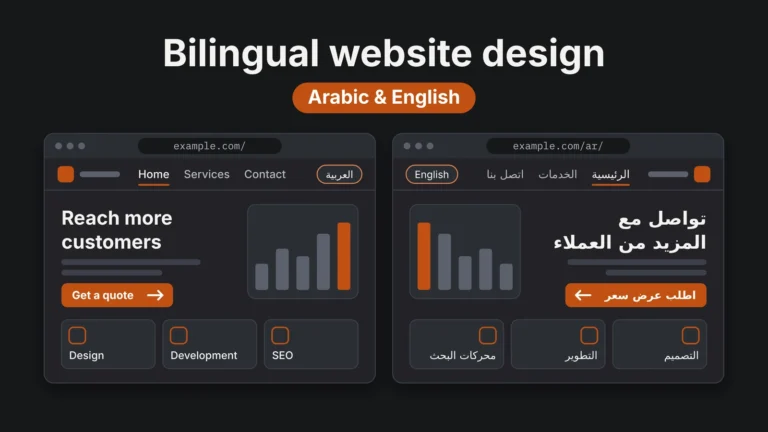
You may have added services, opened a second branch, changed your target customer or started serving Arabic speakers, while the site still describes the business as it was at launch. If many of your customers search in Arabic, a site that is English only, or an Arabic page that was machine translated, leaves money behind. See bilingual website design for Saudi businesses. And if your site is hard to find at all, why a website is not showing on Google goes through the causes.
Quick reference: how to check and what to do
| Sign | Two-minute check | Usually needs |
|---|
| Phone problems | Open the site on your phone and try the menu and buttons | Responsive fix or rebuild |
| Slow pages | Run PageSpeed Insights on the home page | Image, hosting and plugin fixes |
| Not secure | Look for the padlock and https:// | Certificate, usually a small fix |
| Old information | Read contact, price and service pages | Content update |
| Dated, hard to read | Read it on a phone in daylight | Design refresh or rebuild |
| No next step | Find how to contact you in five seconds | Layout and button fixes |
| Broken parts | Click everything and send the form | Repairs |
| Old software | Check updates and PHP version | Updates and maintenance plan |
| Cannot edit it | Try to change a price yourself | Access and a simpler editor |
| Business moved on | Compare the site to what you sell today | Content or rebuild |
A quick self-check
- I can use the whole site comfortably on my phone.
- The home page appears quickly and nothing jumps around.
- The address starts with https:// and shows a padlock.
- Every price, hour, number and service is correct today.
- A visitor can contact me within five seconds of arriving.
- Every link, image and form works, and I receive the messages.
- I have my own admin login and know who updates the software.
- The site describes the business I run now, in the languages my customers use.
Small fixes or a rebuild?
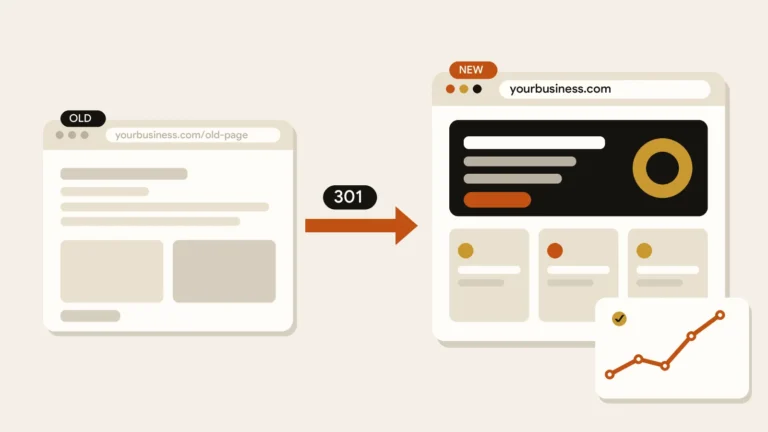
Count how many of the ten signs apply. Then look at what kind of problems they are. Content problems, a missing certificate or a few broken forms are quick to repair. A site that is slow, awkward on phones, built on old software and impossible to edit usually costs more to patch than to rebuild. When you do rebuild, keep your address, your good content and your existing page addresses, so Google does not lose what it already knows. For budget thinking, see how much a small business website costs in Saudi Arabia.
Small fixes are enough when
- The structure and layout still work on phones.
- The site is reasonably fast.
- Problems are mostly old text, prices or images.
- You have admin access and updates are possible.
A rebuild makes sense when
- It is slow, awkward on phones and hard to update.
- The platform or theme is no longer maintained.
- The site no longer fits your services or languages.
- Nobody can safely change it.
Common mistake
Paying for a new look while keeping a slow, outdated foundation. A beautiful design on old software and heavy images still loads slowly and still fails on phones.
A website is outdated when it stops doing its job, not when it reaches a certain age.
If you went through the list and want a second opinion, you are welcome to send me a message with your website address. I will tell you honestly whether a few fixes are enough.
References


 Web Design
 Web Design
 Web Design