You own your website only if you personally control three things: the domain name, the hosting account, and an administrator login to the site itself. Paying the invoice is not the same as owning it. If a designer, an agency or a relative set things up in their own name, they may hold the keys even though you paid for every page. The good news is that you can check all three in about half an hour, and fix them if they are wrong.
I am Hasan, a web and app developer in Riyadh. The most stressful calls I get are from owners who cannot log in to their own website, or who find out their web address is registered to someone who stopped answering the phone. This guide explains who should own what, how to check it yourself, and what to do if it is not in your name. I explain every technical word the first time it appears.
Key takeaways
- Owning a website means controlling three things: the domain name, the hosting account and the admin login. Check each one separately.
- The domain should be registered in your name or your company’s name, with an email address you can read.
- You should have your own administrator account on the website, not just a lower “editor” login.
- Ask for the logins in writing on day one, and keep a copy of your photos, logo and text.
- If something is in someone else’s name, ask politely to have it moved, and know that a domain transfer can take days, not minutes.
The three things you need to control
A website is not one object. It is three separate pieces, usually bought from different companies, and each one has its own owner and its own login. Mixing them up is the root of most ownership problems.
| Piece | What it is | Who should be the owner | What you should hold |
|---|
| Domain name | Your web address, such as yourbusiness.com | You or your company | The registrar login, or at least the right to ask for a transfer |
| Hosting | The always-on computer that stores your site’s files | You or your company, or a provider you can contact directly | A login to the hosting account, or written confirmation of who manages it |
| Website admin | The back office where you edit pages, users and settings | You, as an administrator | Your own administrator username and password |
The domain name: who is the registrant?
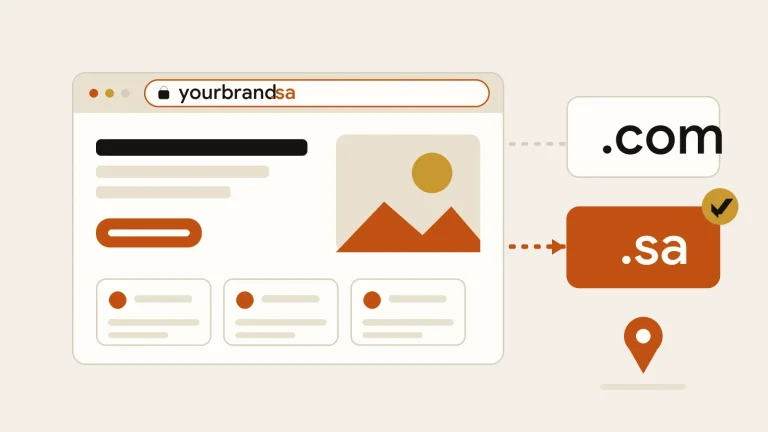
When someone registers a domain, they do it through a company called a registrar. The person or organisation named as holding the domain is the registrant, which ICANN, the organisation that coordinates domain names worldwide, calls the registered name holder. ICANN’s own guidance on transfers says that you can only start the transfer process if you are that registered name holder.
That one sentence explains why the name on the registration matters so much. If your agency is listed as the registrant, you may not be able to move the domain to a new provider without their cooperation, even though your customers know the address as yours. Registration is also usually yearly, so someone must renew it, or the address can lapse.
Common mistake
Letting a designer register the domain “to save you time” under their own name or company. It feels harmless on day one. Years later, when you want a new designer, it can turn into a long and awkward negotiation.
To check, use the registration lookup that ICANN points people to at whois.icann.org and search for your domain. Look at the registrant name and organisation. Some registrars hide personal details behind a privacy service, in which case log in to the registrar account itself, or ask the person who bought the domain to show you the account screen. For .sa addresses, the Saudi domain registry at nic.sa says individuals and businesses register through licensed registrars, so the registrar’s list there is a good place to start.
Tip
Put a shared company email address, not your personal inbox, on the domain registration. Renewal reminders and transfer approvals go to that address, and you do not want them lost when a staff member leaves.
Hosting: whose account is your website sitting in?
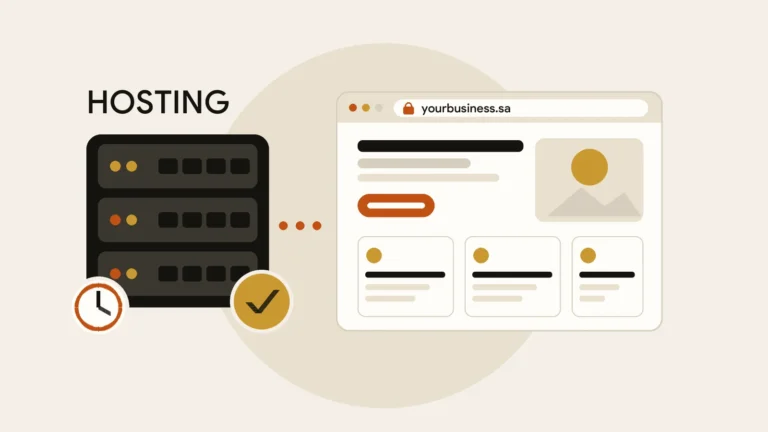
Hosting is the computer that keeps your site online. Many agencies host all their clients on one account, which is convenient for them, but it means your site shares a login you will never see. That is not wrong by itself. What matters is that you know where your site lives, that you can contact the provider, and that you can get a full copy of your files and database (the stored text, pages and settings) if you ever need to leave.
Ask three simple questions: which company hosts my website, whose name is the account in, and where are my backups kept? If the answer to the second question is “ours”, ask whether you can have your own hosting account or a written promise to hand over a complete copy on request.
Admin access: can you log in as an administrator?
The admin area is the back office of your site. On WordPress, the Administrator role has full control of a site: pages, settings, themes, plugins and other users. Lower roles are much more limited. According to WordPress.org’s documentation, an Editor can manage posts and pages but has no access to themes, plugins, users or site settings.
This matters because many owners are given an “editor” login and assume they have everything. If you cannot add a user, install an update or change a setting, you are not an administrator. When you are, the Users screen shows your name with the role Administrator. If a website is built on another platform, ask the same question: can I add and remove people, and can I download my content?
Your agency can keep its own administrator account while it works for you. The point is that yours exists too, so nobody can lock you out. Security guidance matters here as well, and 15 practical steps to keep a WordPress website secure covers strong passwords and two-step login.
The things people forget: content, files and licences
Even with the domain, hosting and admin sorted, a few items are easy to overlook. Ask for a copy of your logo in its original files, the photos used on the site, the written text, and any prices or documents. If a designer used paid fonts, paid plugins or stock photos, find out whose licence they sit under and whether it can be transferred or renewed in your name. This varies from product to product, so ask rather than assume.
Ownership of the design itself is a legal question that depends on your agreement. I am not a lawyer, so put it in writing: who owns the finished design and content once you have paid, and what happens to the files if either side ends the work.
Paying for a website gives you a website. Controlling the domain, hosting and admin login is what makes it yours.
A ten-minute ownership check
Tick each line honestly. Any line you cannot tick is a job for this week.
- I know which registrar holds my domain and I can log in, or I can reach the person who can.
- My name or my company’s name appears as the registrant, with an email I read.
- I know the renewal date of the domain and who pays for it.
- I know which company hosts the website and whose name the account is under.
- I have my own administrator login on the website.
- I know where backups are kept and how to ask for one.
- I have copies of my logo, photos and text.
- Our agreement says who owns the finished site and what happens when we part ways.
Risky setup versus safe setup
Risky
- Domain registered under the agency’s name
- You only have an editor login
- Hosting and backups are a mystery
- Photos and text live only on the agency’s computer
Safe
- Domain registered to you, renewal reminders go to you
- You are an administrator, and the agency has its own login too
- You know who hosts the site and can request a backup
- You keep a copy of every file
If it is not in your name: how to take control back
Do not start with an accusation. Most mix-ups happen by habit, not bad intent. Work through the steps in this order, calmly and in writing.
- Look up the factsfind the registrant, registrar and renewal date of your domain
- Ask for the loginsrequest registrar, hosting and admin details by email so there is a record
- Create your own admin accountask to be added as an administrator, then check you can sign in
- Request a transfer or contact changeask for the domain to be registered to you, or for the authorisation code needed to move it
- Secure everythingchange passwords, turn on two-step login and update the recovery email
- Take a full backupdownload the files and database and store them somewhere you control
Be patient with the domain step. ICANN explains that a transfer needs an authorisation code, also called a transfer code, which proves the request comes from the domain holder. It also notes that you generally cannot transfer a domain within 60 days of changing its contact information, although some registrars offer an opt-out. Plan for a few days, not a few minutes, and do it well before a renewal date or a campaign.
If the person who set everything up has stopped answering, the steps above still apply, but you may need to go through the registrar’s or hosting company’s support with proof of your business. Start early rather than waiting for a crisis.
A word on website builders
If your site was made on an online website builder, the site itself usually lives on that company’s platform, so “ownership” works a little differently. You can often own the domain and your content, but not the underlying system, and moving later may mean rebuilding. Check what the platform lets you export before you commit. I compare the options in WordPress vs website builders.
Put it in the agreement from the start
If you are not sure where your own website stands, you are welcome to get in touch. I am happy to help you check who holds what and tell you honestly what to fix first.
References


 Business Websites
 Business Websites
 Business Websites